Zoom
Zoom is a great video conferencing tool that runs on Windows and Mac computers. The free version allows a conference of up to 100 participants for 40 minutes. After 40 minutes the conference shuts down and you must schedule and join another conference. You can conference via video or audio only and there are dial-in numbers if you can’t join by computer.
When you join a conference online, be ready to download and run the conferencing program, which can be a nuisance if you’ve not done it before and the first 30 minutes of a conference can turn into a technical support session.
The paid version of Zoom costs £11.99 a month per conference host and allows conferences of up to 100 participants for a maximum length of 24 hours.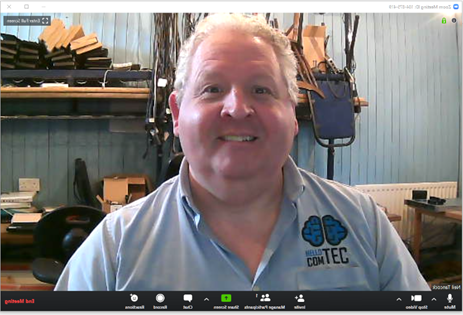
To get started, go to https://zoom.us and click Host a Meeting. You’ll need to create an account, sign up for the paid account if you needs it and then schedule the meeting. Once you’ve scheduled the meeting you’ll be given an invite which you can send out to the participants.
Wildix
Wildix is a new breed of communication and conferencing service that runs in the web browser. It doesn’t require any program to be downloaded and run and this makes it incredibly easy to set up and access as everybody generally has access to a web browser. Chrome, Edge, Firefox and Opera are all compatible. This makes working with other organisations a huge amount simpler as there will be little discussion around which conferencing tool to use; Wildix is universal.
Video and Audio conferencing is supported, again with dial-in numbers for those that can’t join by computer. Screen-sharing, recording, chat and file transfer are all built in.
Wildix supports conferences of up to 25 participants and costs £20 a month per host. It also solves another problem being faced by business today – telephone calls and keeping the team together.
In addition to being a conferencing service, Wildix is also a phone system and team collaboration system. It can quickly be overlaid on your office phone service to enable staff to work from home and still take and make calls as if they were still in the office. This includes extension-to-extension calling, call transfers and voicemail. It includes unlimited calls to UK landlines and mobiles and costs £20/mth per user.
To get started, email Neil Tancock at Hello Comtec (neil@hellocomtec.com) and he will get in touch to set it up for you.
Setting up a conference is intuitive and simple. You click the create conference button on your portal, add the participant’s email addresses, any notes you want to add to the invite and the date & time. Each participant then receives and email with clear joining instructions and a calendar invite. If they accept the invite the meeting is added to their calendar automatically.
If you get stuck or have any questions please get in touch.
 |
Hello Comtec Support Tel: +44(0)1752 422950 email: support@hellocomtec.com web: https://hellocomtec.com fb: https://www.facebook.com/ tw: https://twitter.com/ |